NFL survivor pool spreadsheet template (free)
A picks grid with a team dropdown for up to six entries, a teams-remaining tracker, and a plain-English how-to sheet — free, no email required.
Opens directly in Excel and Numbers. For Google Sheets, use File → Import.
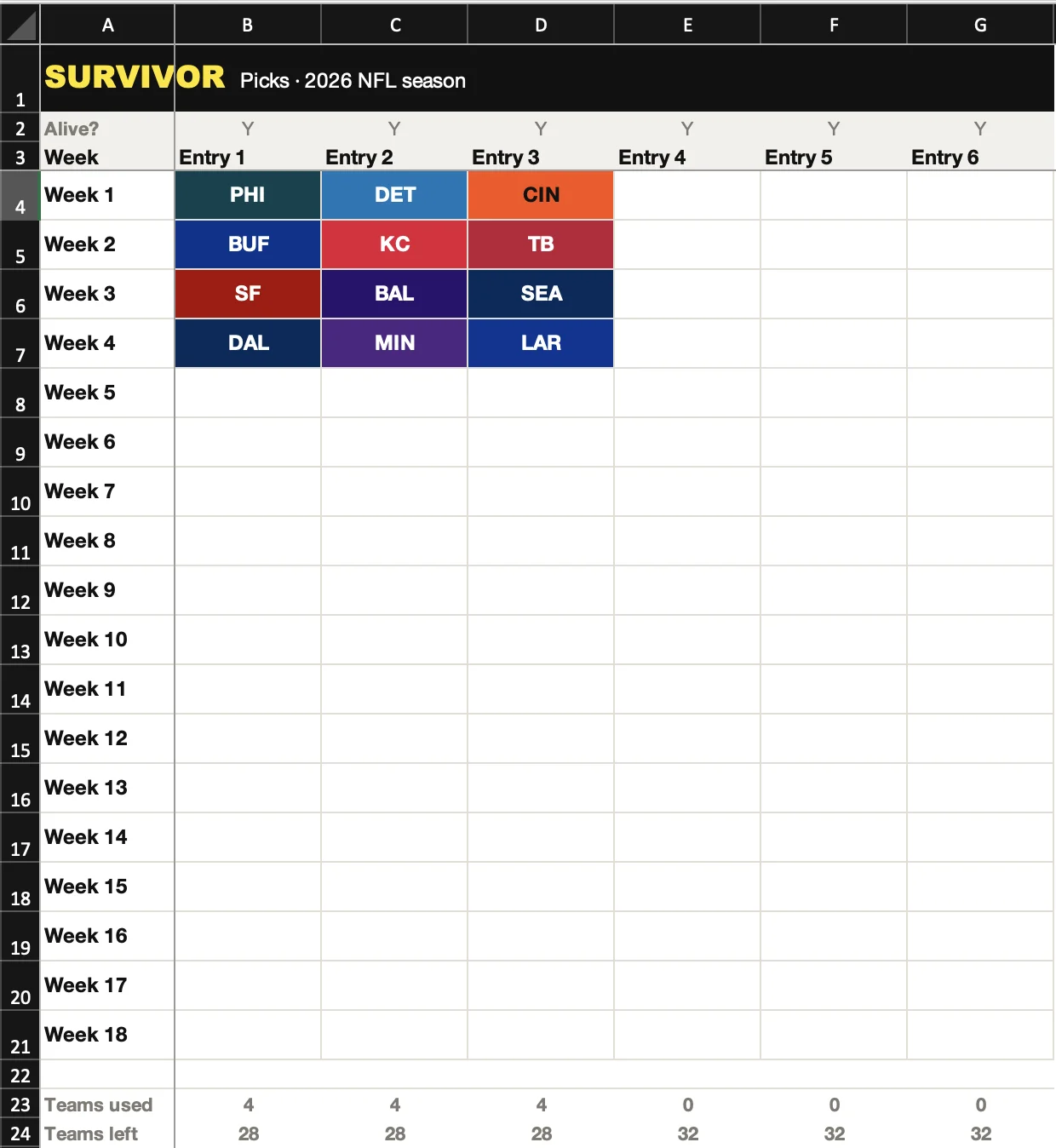
The Picks sheet — team chips, duplicate detection, teams left.
What’s inside
Picks
Week 1 through 18 down the side, up to six entries across the top, each cell a dropdown of all 32 team abbreviations — pick a team twice in the same entry and the cell turns red.
Teams remaining
Every team, every entry, one grid — a team greys out the moment it's used anywhere in Picks, so you can see what's actually still available before you commit to a pick.
How to use
A plain-English page explaining the other two sheets, so you're not guessing what a cell turning red means three weeks in.
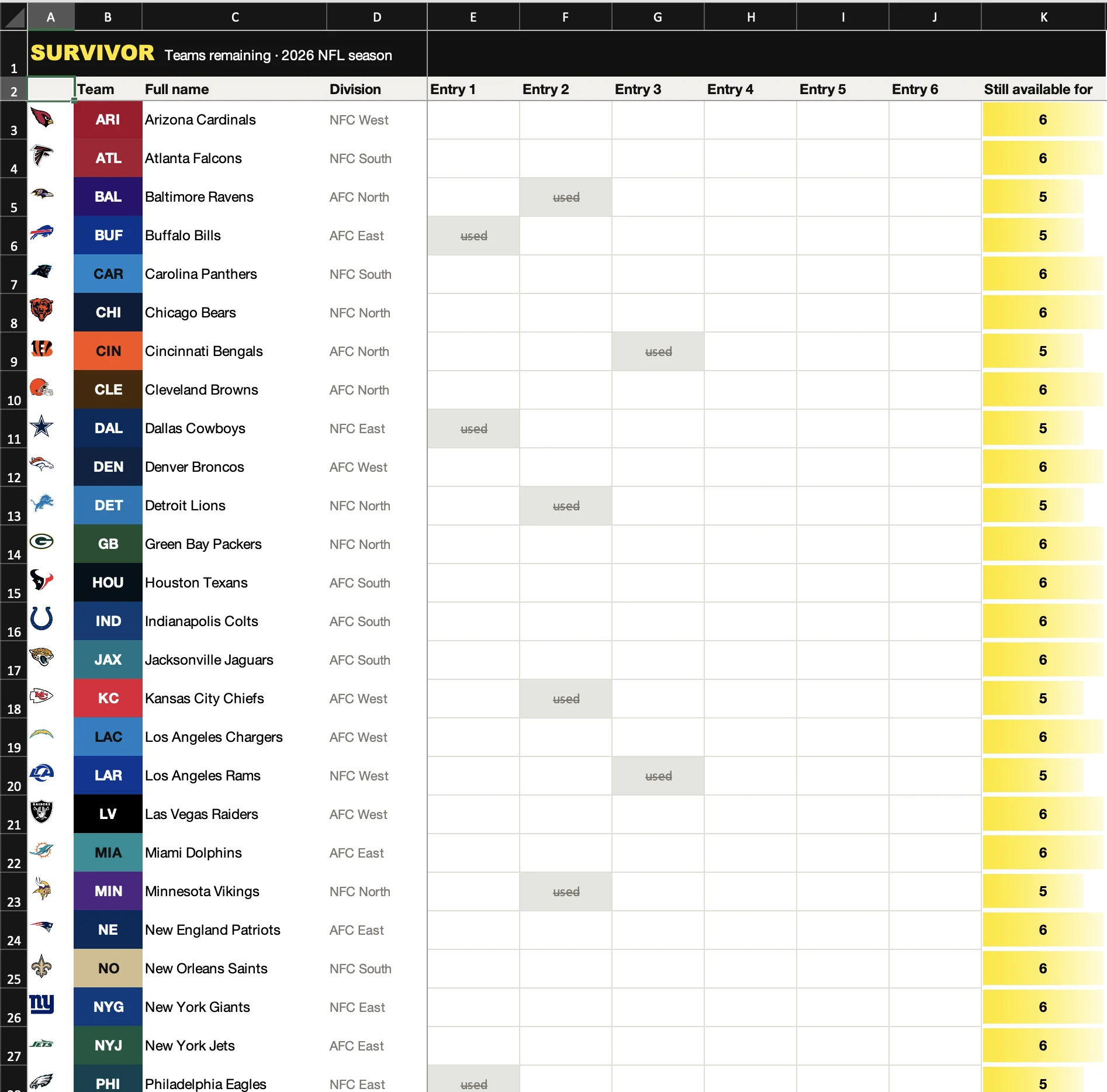
Teams remaining — every logo, every team color, greyed out the moment it’s used.
How to set it up
- 01
Download the file
One .xlsx file, no email or signup required. It opens directly in Excel or Numbers; for Google Sheets, use File → Import → Upload.
- 02
Rename the entry columns
On the Picks tab, rename Entry 1 through Entry 6 to match your actual entries. Delete the columns you don't need if you're only running one or two.
- 03
Fill in picks as you make them
Click a cell under your entry each week and choose a team from the dropdown. The Teams remaining tab updates on its own as you go.
- 04
Mark entries out as they lose
Flip the Alive? row to N the week an entry is eliminated. It's a manual record, not a live score feed — you still have to check the game yourself.
Where the spreadsheet breaks
None of this is a knock on spreadsheets — the one above is genuinely fine at what it does. It’s a record. It’s not:
It can't see forward
Nothing in the grid tells you that using Denver in week 3 costs you Denver in week 14, when your other options might be thin. That's a decision you have to hold in your head across the whole season.
No schedule, odds, or injuries live in it
Every kickoff time, spread, win probability, and injury report is a separate browser tab you have to check yourself, every single week.
Every extra entry doubles the bookkeeping
Two entries means checking two columns for duplicates, two remaining-teams counts, two sets of matchups. Six entries and it stops being a spreadsheet problem and starts being a discipline problem.
It doesn't know who else in your pool is on what
There's no way to see the field's pick distribution here — whether everyone's on the same favorite, or whether a contrarian pick actually pays off if it hits.
It won't remind you before kickoff
If you forget to fill in a cell before Thursday night, the spreadsheet doesn't notice. Neither does anyone else, until your entry is out.
Or skip the spreadsheet
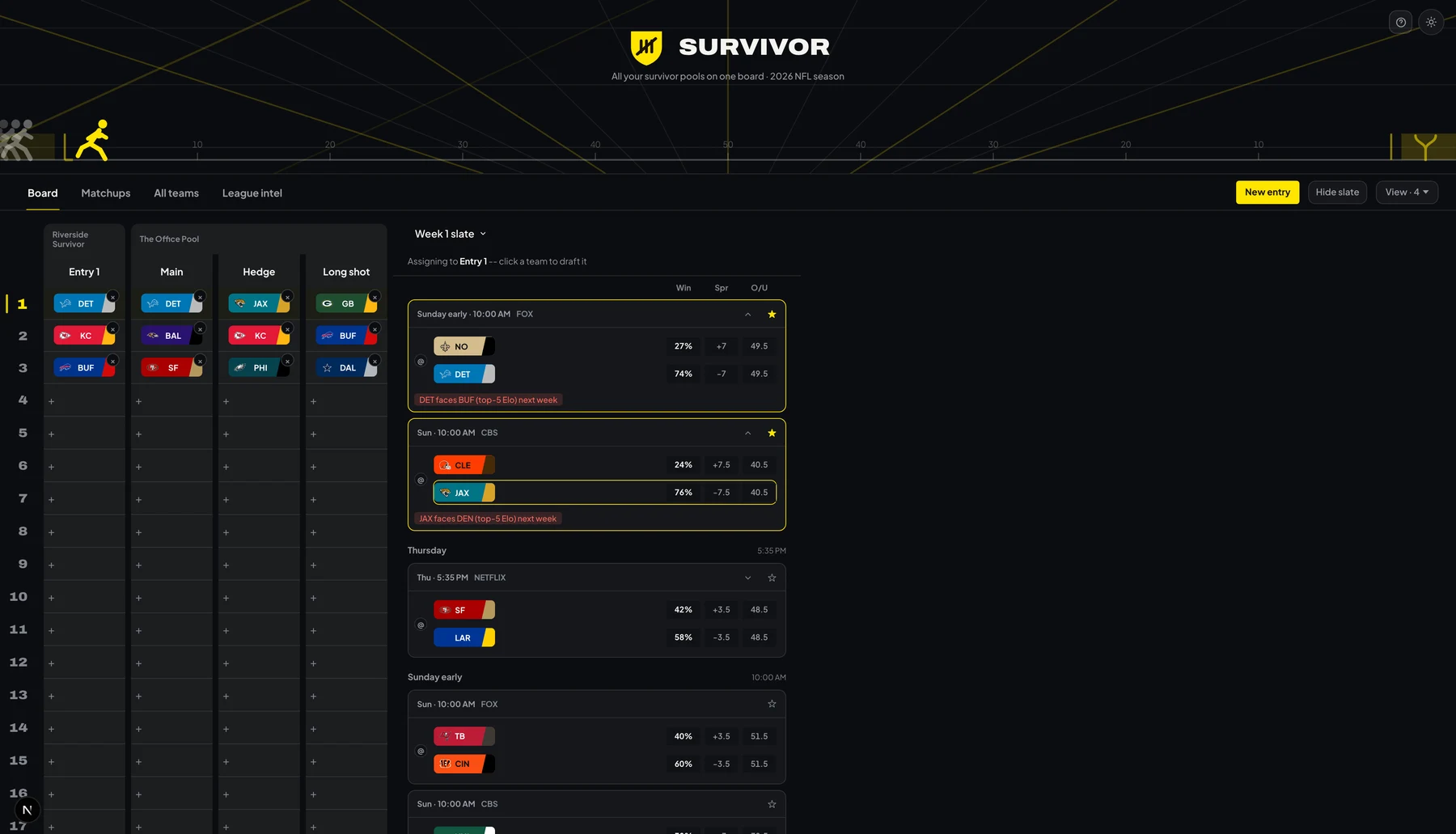
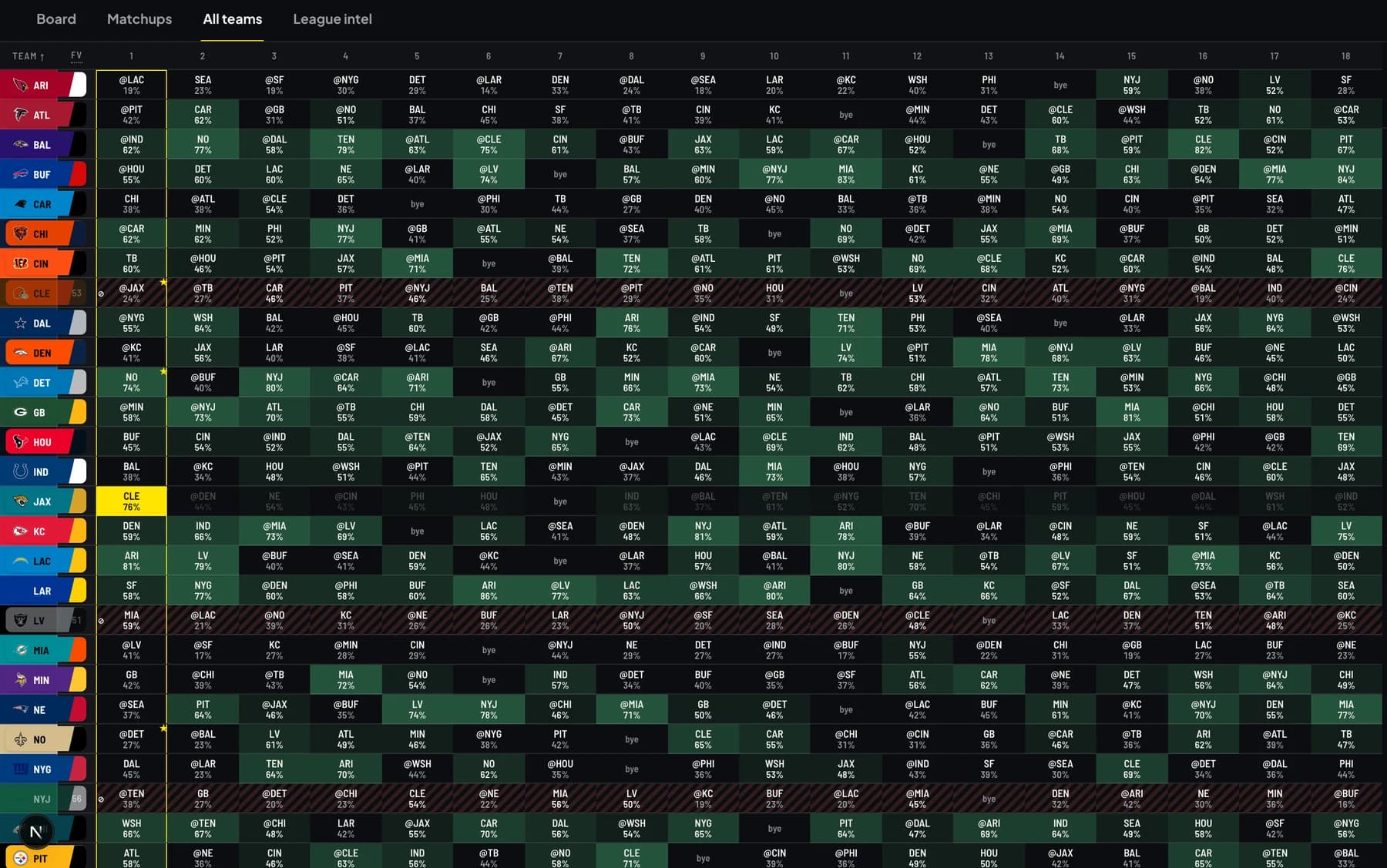
Survivor is a tool for exactly the pain the spreadsheet runs into above — it’s built for people running more than one entry, in more than one league.
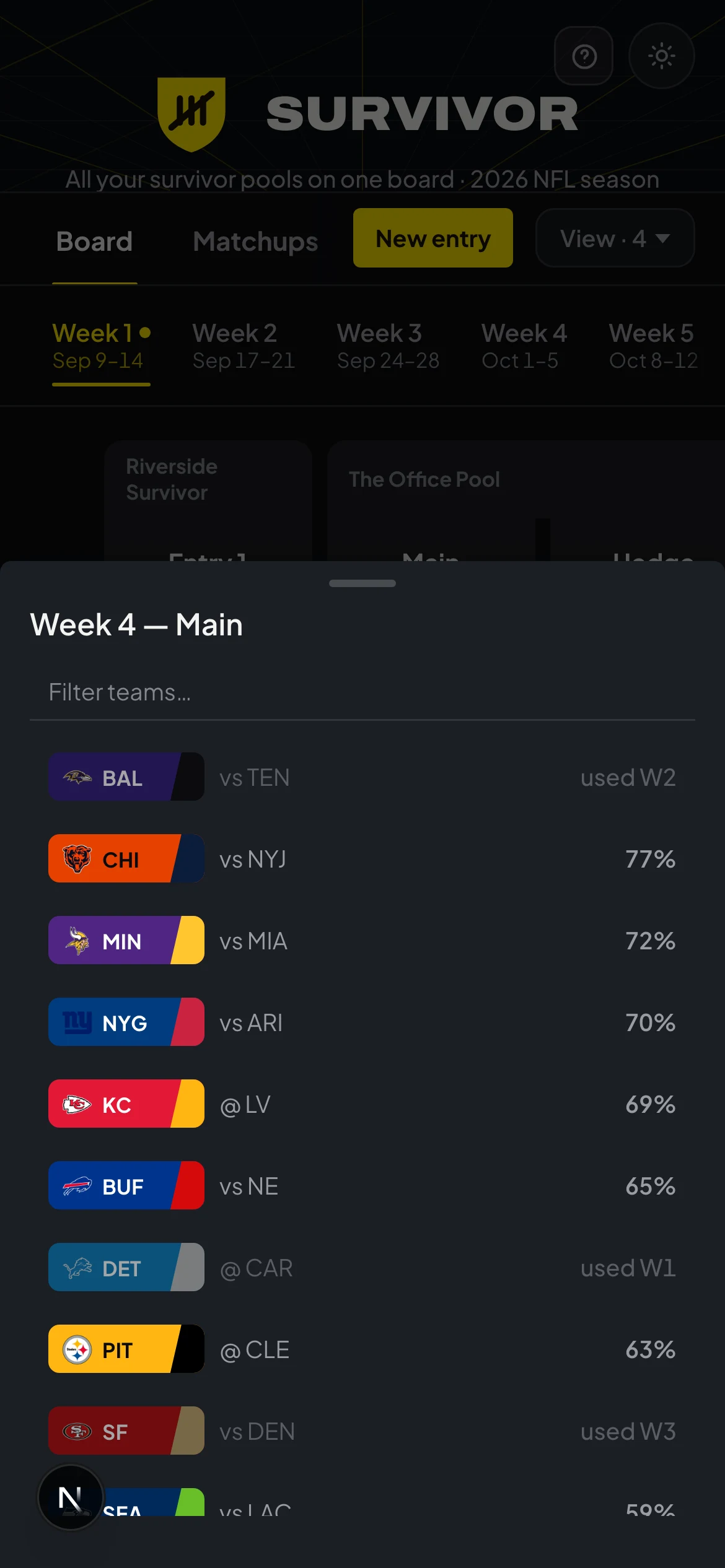
- All your entries, every league, on one screen — no switching tabs to check a different pool
- Used teams tracked automatically, across every entry, no manual grid to keep clean
- Commit a pick and watch the ripple — see exactly what it costs you in later weeks, shown, not guessed at
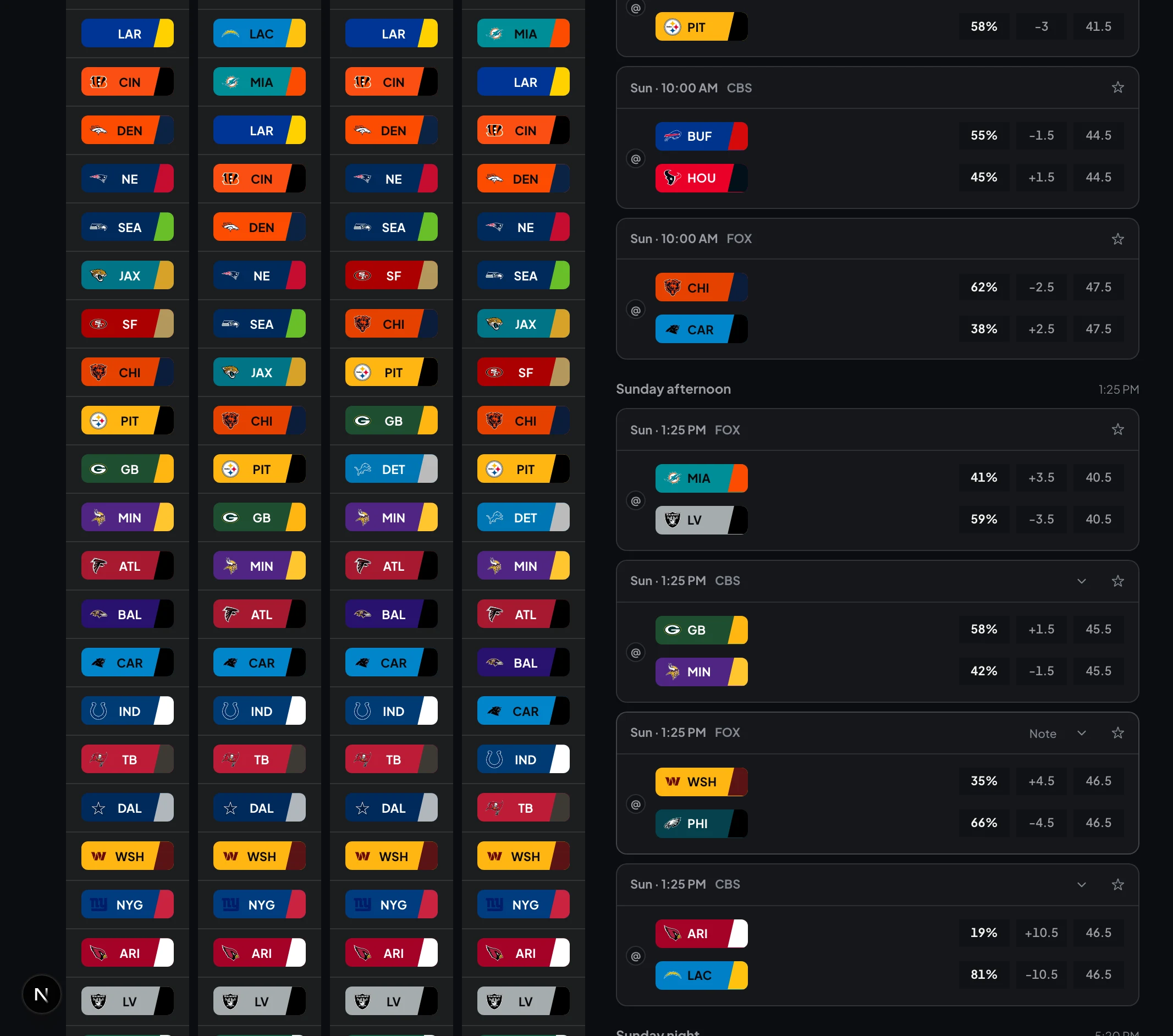
- Odds, win probability, injuries, rest days, and weather on one row per game
- Paste your commissioner's weekly email in and get the field's pick percentages back
- Pick reminders before kickoff, so an entry never dies because you forgot
No subscription, one season — it doesn’t renew on its own.
Questions
Is the template really free?
Yes. No email, no signup, no catch — download the .xlsx file directly and use it for as long as it's useful to you.
Does it work in Google Sheets?
Yes. Open Google Sheets, then File → Import → Upload, and choose the downloaded file. The dropdowns and formulas carry over.
Does Survivor import my spreadsheet?
No. Survivor doesn't read .xlsx files — you enter your entries and picks directly in the app, which takes a few minutes for a season's worth of leagues. There's no migration step, just a fresh, faster way to track the same thing.
Can I use both?
Sure. Some people keep the spreadsheet as a backup or a shared record for their pool while doing the actual week-to-week decisions in Survivor. Neither one depends on the other.