For NFL survivor pools · 2026 season
Every survivor entry you’re running, in one place.
Three entries means colour-coded spreadsheet tabs. Six means eight browser tabs open on Sunday morning and a nagging feeling you already used Denver somewhere. Survivor tracks every league, every entry, and every team you’ve spent — automatically, in one screen.
The real board, being driven: two pools side by side, the week’s slate with win chance and spread beside them, a pick landing through the double-click quick-pick, and that team dropping out of the entry’s remaining stack below week 18.
How it works
One pick a week. No team twice. One loss and that entry’s out. New to survivor pools? The two-minute version.
Sign up with your email
Pick a password, confirm your email with a quick code, and you're in — every sign-in after that is just email and password. Set up takes about a minute.
Name your pool, add your entries
One pool or six, however many you're actually playing. Each entry gets its own column on the board.
Plan your next pick
Tap a cell, pick from the week's slate, done. The board tracks every team you've spent from there.
Survivor isn’t a place to play — it doesn’t run a pool or hold an entry fee. It sits next to whatever does: Splash Sports, ESPN, Yahoo, RunYourPool, or a commissioner’s spreadsheet. Make the call here, enter it there.
What you get
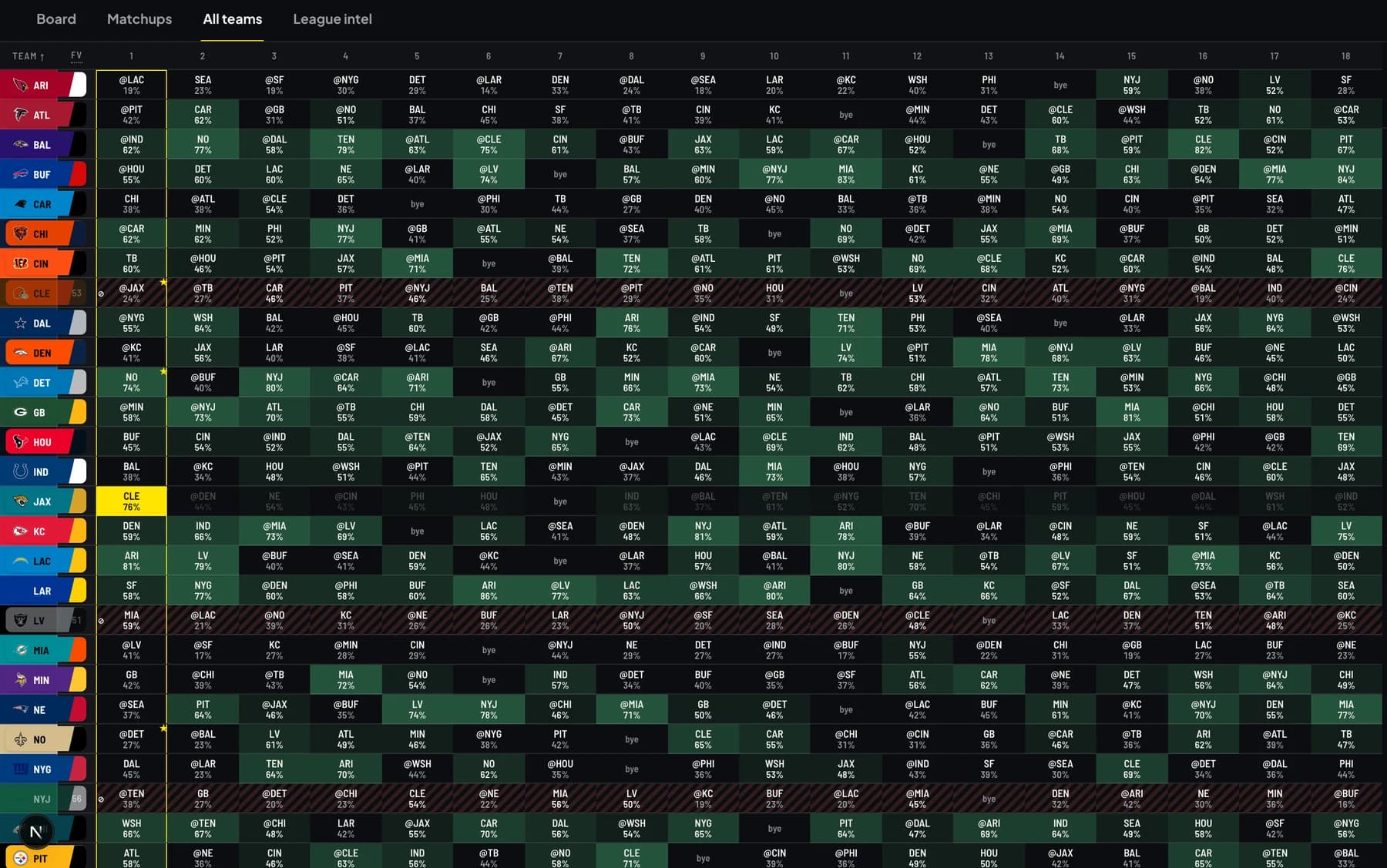
Every team, every week, one grid
All 32 teams down the side, all 18 weeks across. The moment any entry in any league spends a team, that row grays out for the rest of the season — not just on the entry that used it, on the one grid that covers all of them.
It’s the same information a spreadsheet is trying to hold in coloured cells, minus the part where you have to remember to color them.
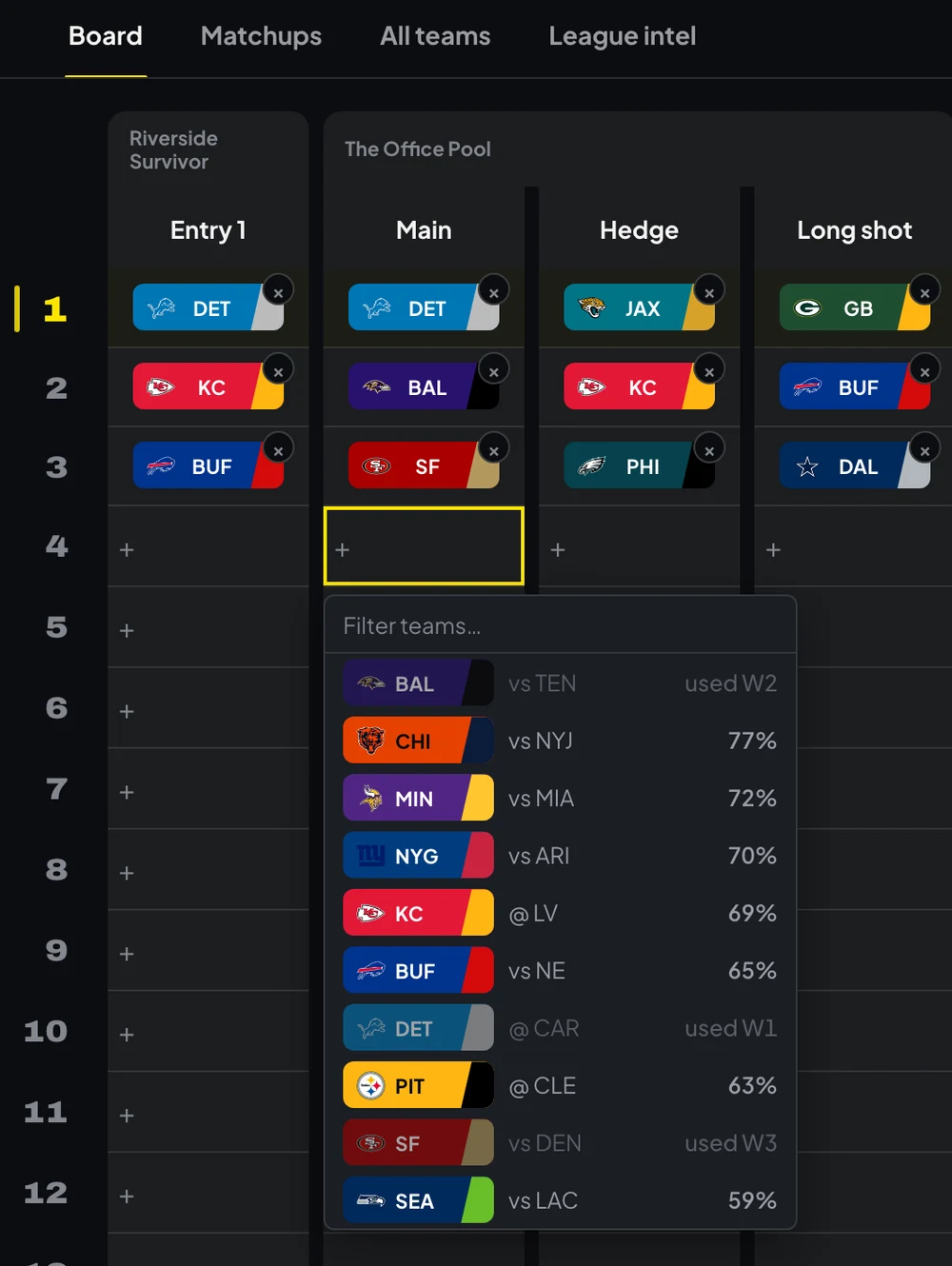
Double-click a cell, get the whole week
Every team playing that week, ranked by win probability, with a box to filter as you type. A team one of your entries already spent shows up in the same list — grayed out, labelled with the week it was used — so you see why it’s off the table instead of finding out when the pick bounces.
The bench lives under the board
Below week 18, every entry’s column keeps going: the teams it hasn’t spent yet, stacked in the order you rank them. Drag one onto a week to use it, drag it onto another team to retier it. Each entry has its own order, because a team you’re saving on one entry can be a week-4 spend on another.
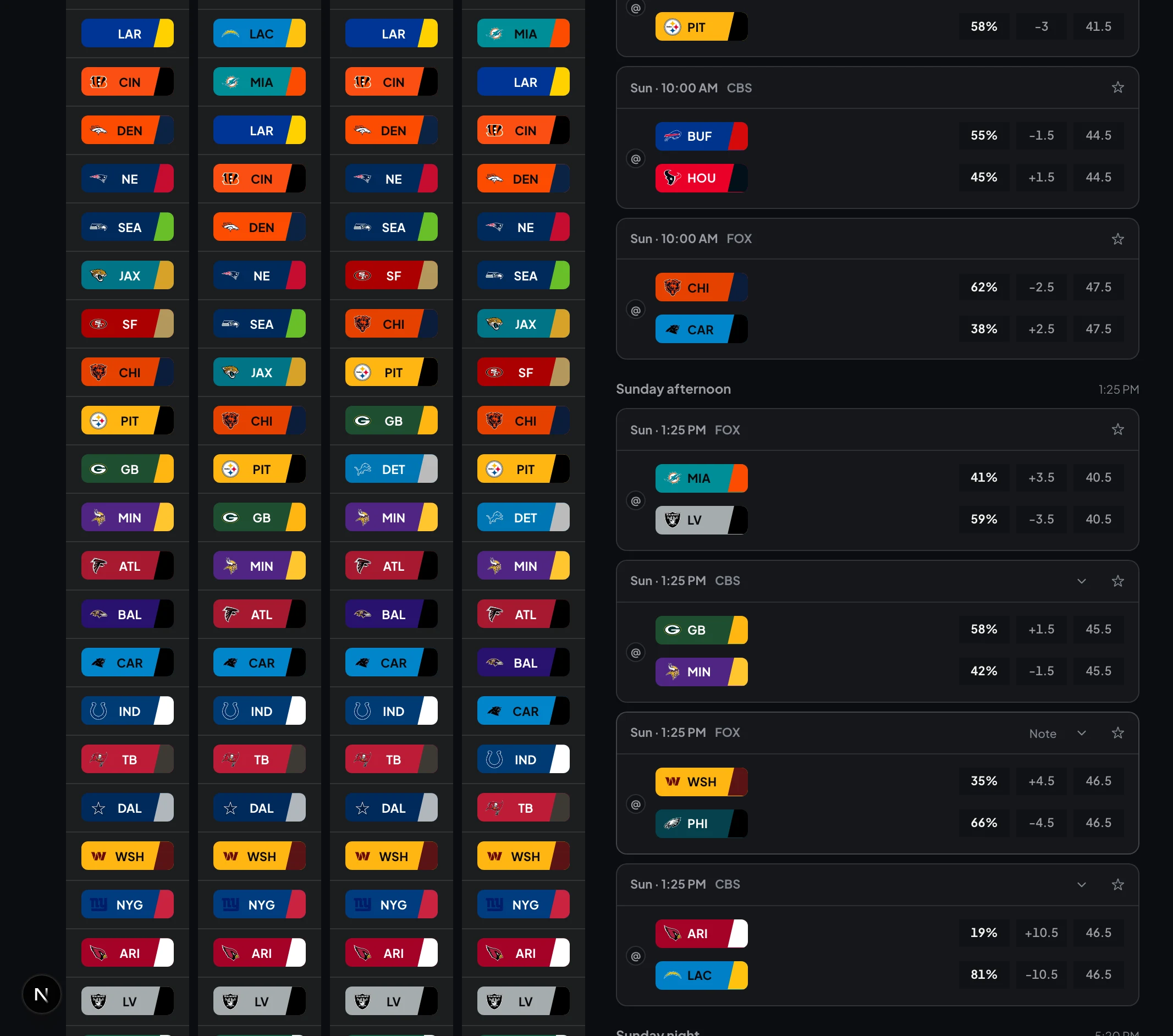
This week’s slate, and the why behind it
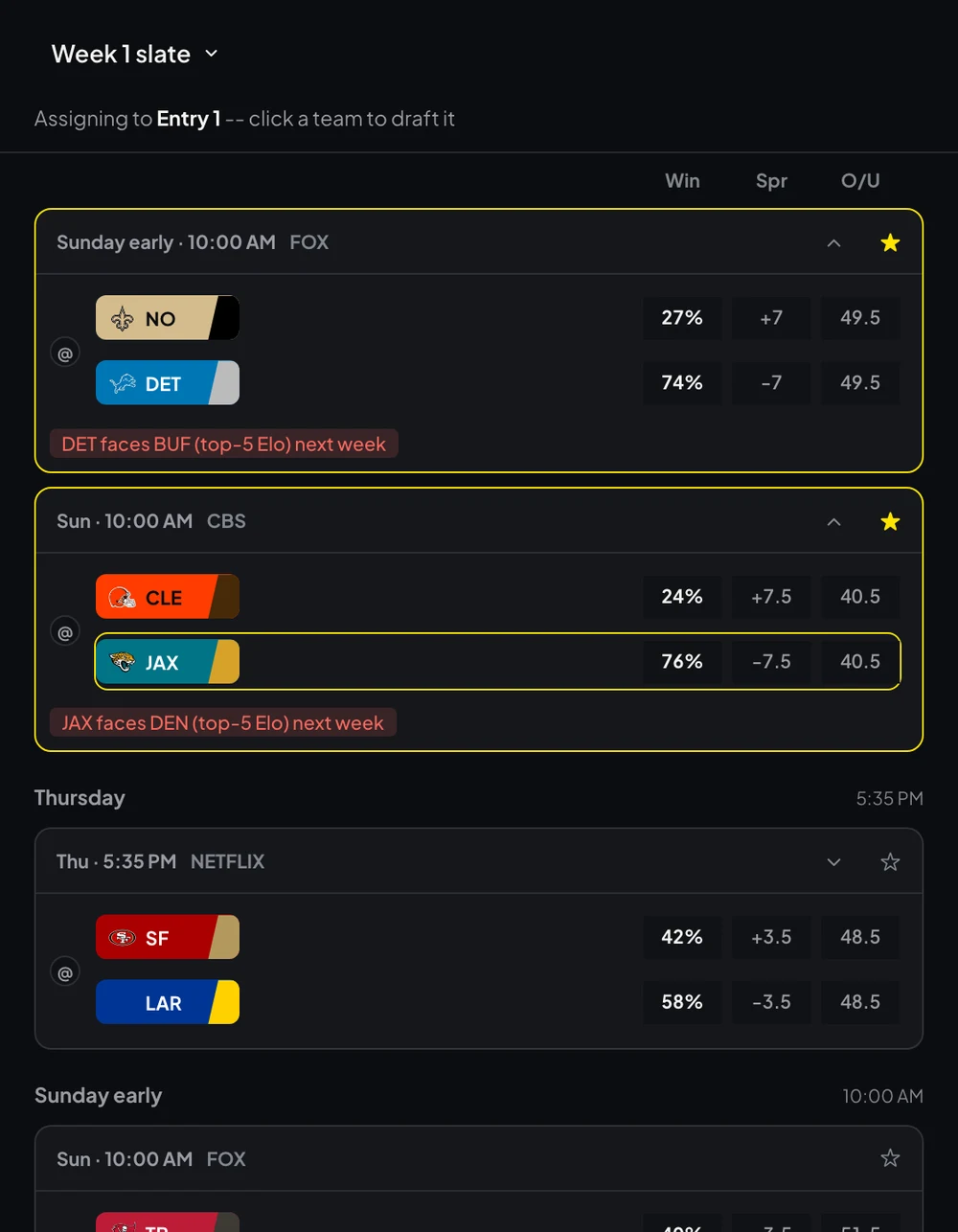
Every game for the week, ranked by win probability, grouped by kickoff so Thursday night can’t sneak past you. The ones worth a second look carry an edge note — off a bye, a short week, walking into a top-5 Elo opponent next week — plus a note of your own, if you want to remember why you liked it.
Star the ones you’re actually deciding between. The star gets a bright stroke, on purpose, so it’s the one thing your eye catches first — not another colour competing for attention.
Built for Sunday morning
Deadlines land when you’re out of the house. On a phone, tap any entry’s week and the whole slate slides up, ranked by win chance — teams you’ve already burned are grayed out with the week you spent them. Pick, done. No pinching at a spreadsheet in a car park.
Drag it, click it — however you pick
Drag a team onto any week, or click a cell to swap one in. Try to spend a team an entry already used and the board refuses it outright, in red, before anything saves — not a silent bounce you find out about later.
Know what the rest of your pool is doing
Paste the commissioner's weekly email and Survivor turns it into field pick percentages, who's alive on what, how many rivals die if a favourite loses, and where going against the field actually pays.
Keep your entries out of each other's way
Blackout a team for one entry, or for all of them at once, so it's never an option by accident. Star two or three candidates on your shortlist and compare them side by side before you commit.
Trade one entry to guarantee another
Late in the season, when the slate is thin, you can put two of your own entries on opposite sides of the same game. One is out for certain — and the other is through for certain. Survivor finds every pair available to you and shows the whole trade. It's its own column on the board, and it only exists if you're running more than one entry in a league.
$9.99 for the 2026 season
One payment, good for the whole 2026 season through the final week. It is not a subscription and it will not renew on its own — if you want the 2027 season, you buy it then.
- Unlimited entries and leagues
- Season planning and auto-path
- Blackout teams and a shortlist for every entry
- Hedge two of your own entries against each other
- League Intel and field analysis
- Live scores through every Sunday
- Works on desktop and phone
Before you buy
Is this gambling?
No. Survivor is a pool you run with friends or colleagues — this is a planning tool for it. Nothing is wagered here and no money changes hands through Survivor.
Does Survivor run my pool or hold my entry fee?
No. Survivor doesn't run pools, collect entry fees, or pay anyone out — it's a tool you use alongside your actual pool, whether that's Splash Sports, ESPN, Yahoo, RunYourPool, or a commissioner's spreadsheet. You make the call here, then enter it wherever your pool actually lives.
Why not just use a spreadsheet?
Plenty of people do, and a spreadsheet is fine for tracking what you've used. It won't price the teams you haven't, project a route to Week 18, or tell you what the rest of your pool is on.
What happens next season?
Your access covers 2026. When 2027 comes around it's a separate purchase — nothing renews automatically and you won't be charged without buying again.
What if my pool has weird rules?
The basics are standard: one pick a week, no reusing teams, a loss knocks you out. Survivor supports exactly that ruleset, plus your own blackout teams — ones you refuse to touch all season. If your pool runs a variant — extra lives, buybacks, multi-pick weeks — see what a survivor pool actually covers.
Does it pick for me?
It'll propose a path and show its reasoning, but nothing is submitted anywhere and nothing is locked without you. You still make the call and enter it in your own pool.
What if I delete something by mistake?
Nothing disappears the moment you click delete. Entries, leagues and picks you remove sit in Recently deleted until you clear them out for good, so one wrong swipe doesn't cost you a season.
Can I try it before buying?
Yes. Open the no-signup demo to explore a sample board with multiple pools and entries. Your season access is a separate one-time purchase when you're ready to set up your own board.